Lab-1-9
(2% of the course mark)
Express.js API Parameters Lab
- In this lab, students will build a Node.js application using the Express framework to implement sorting and filtering of data through url parameters / query strings. The exercise will focus on handling user input via url parameters / query strings to dynamically sort and filter a dataset. Students will practice extracting and using url parameters / query strings to manipulate data presentation on the server side.
Lab objectives
-
Extract url parameters / query strings from an Express.js request.
-
Implement sorting and filtering of data based on the extracted url parameters / query strings.
-
Combine sorting and filtering to deliver dynamic and customizable data responses in an Express application.
Create Node.js Express app
-
Open VSCode and create a folder named Express-API-PARAMETERS.
-
Open the terminal and change the directory to Express-API-PARAMETERS.
-
Initialize the app by running the following command:
npm init -y
- Install typescript by running the following commands:
npm install typescript -D
npm install @types/node -D
- Initialize tsconfig.json by running the following command:
npx tsc --init
-
Modify tsconfig.json and uncomment outDir.
-
Modify tsconfig.json and add the following property:
"removeComments": true
- Install nodemon by running the following command:
npm install nodemon -D
- Install dotenv by running the following command:
npm install dotenv
- Create an .env file in the root of your project and enter the following.
PORT=3000
- Install express by running the following commands:
npm install express
npm install @types/express -D
- Configure package.json by adding a new entry to the scripts property.
"build": "tsc",
"start": "nodemon ./dist/index",
- Configure package.json by adding a new property.
"type": "module"
-
In the root folder of the app, create a folder named lib.
-
In the lib folder, create a file named users.ts and add the following code:
// Developer:
// Purpose:

interface User {
  firstName: string;
  lastName: string;
  email: string;
}

const users: User[] = [
  {
    firstName: "Charlie",
    lastName: "Williams",
    email: "charlie.williams@gmail.com",
  },
  { firstName: "Alice", lastName: "Johnson", email: "alice.johnson@gmail.com" },
  { firstName: "Bob", lastName: "Smith", email: "bob.smith@yahoo.com" },
  { firstName: "Diana", lastName: "Brown", email: "diana.brown@hotmail.com" },
  { firstName: "Edward", lastName: "Jones", email: "edward.jones@gmail.com" },
  { firstName: "Fiona", lastName: "Davis", email: "fiona.davis@outlook.com" },
  { firstName: "George", lastName: "Miller", email: "george.miller@gmail.com" },
  { firstName: "Hannah", lastName: "Wilson", email: "hannah.wilson@yahoo.com" },
  { firstName: "Ivan", lastName: "Moore", email: "ivan.moore@gmail.com" },
  { firstName: "Julia", lastName: "Taylor", email: "julia.taylor@hotmail.com" },
  {
    firstName: "Kevin",
    lastName: "Anderson",
    email: "kevin.anderson@gmail.com",
  },
  { firstName: "Laura", lastName: "Thomas", email: "laura.thomas@outlook.com" },
  {
    firstName: "Michael",
    lastName: "Jackson",
    email: "michael.jackson@gmail.com",
  },
  { firstName: "Natalie", lastName: "White", email: "natalie.white@yahoo.com" },
  { firstName: "Oliver", lastName: "Harris", email: "oliver.harris@gmail.com" },
  {
    firstName: "Patricia",
    lastName: "Martin",
    email: "patricia.martin@hotmail.com",
  },
  {
    firstName: "Quentin",
    lastName: "Garcia",
    email: "quentin.garcia@gmail.com",
  },
  {
    firstName: "Rachel",
    lastName: "Martinez",
    email: "rachel.martinez@outlook.com",
  },
  {
    firstName: "Samuel",
    lastName: "Robinson",
    email: "samuel.robinson@gmail.com",
  },
  { firstName: "Tina", lastName: "Clark", email: "tina.clark@yahoo.com" },
  {
    firstName: "Ulysses",
    lastName: "Rodriguez",
    email: "ulysses.rodriguez@gmail.com",
  },
  {
    firstName: "Victoria",
    lastName: "Lewis",
    email: "victoria.lewis@hotmail.com",
  },
  { firstName: "William", lastName: "Lee", email: "william.lee@gmail.com" },
  { firstName: "Xena", lastName: "Walker", email: "xena.walker@outlook.com" },
  { firstName: "Yara", lastName: "Hall", email: "yara.hall@gmail.com" },
  { firstName: "Zachary", lastName: "Allen", email: "zachary.allen@yahoo.com" },
  { firstName: "Amy", lastName: "Young", email: "amy.young@gmail.com" },
  {
    firstName: "Brian",
    lastName: "Hernandez",
    email: "brian.hernandez@hotmail.com",
  },
  { firstName: "Cathy", lastName: "King", email: "cathy.king@gmail.com" },
  { firstName: "Derek", lastName: "Wright", email: "derek.wright@outlook.com" },
  { firstName: "Elena", lastName: "Lopez", email: "elena.lopez@gmail.com" },
  { firstName: "Frank", lastName: "Hill", email: "frank.hill@yahoo.com" },
  { firstName: "Grace", lastName: "Scott", email: "grace.scott@gmail.com" },
  { firstName: "Henry", lastName: "Green", email: "henry.green@hotmail.com" },
  { firstName: "Iris", lastName: "Adams", email: "iris.adams@gmail.com" },
  { firstName: "James", lastName: "Baker", email: "james.baker@outlook.com" },
  {
    firstName: "Karen",
    lastName: "Gonzalez",
    email: "karen.gonzalez@gmail.com",
  },
  { firstName: "Liam", lastName: "Nelson", email: "liam.nelson@yahoo.com" },
  { firstName: "Megan", lastName: "Carter", email: "megan.carter@gmail.com" },
  {
    firstName: "Nathan",
    lastName: "Mitchell",
    email: "nathan.mitchell@hotmail.com",
  },
  { firstName: "Olivia", lastName: "Perez", email: "olivia.perez@gmail.com" },
  {
    firstName: "Peter",
    lastName: "Roberts",
    email: "peter.roberts@outlook.com",
  },
  { firstName: "Quinn", lastName: "Turner", email: "quinn.turner@gmail.com" },
  {
    firstName: "Rebecca",
    lastName: "Phillips",
    email: "rebecca.phillips@yahoo.com",
  },
  {
    firstName: "Steve",
    lastName: "Campbell",
    email: "steve.campbell@gmail.com",
  },
  { firstName: "Tara", lastName: "Parker", email: "tara.parker@hotmail.com" },
  { firstName: "Uma", lastName: "Evans", email: "uma.evans@gmail.com" },
  {
    firstName: "Victor",
    lastName: "Edwards",
    email: "victor.edwards@outlook.com",
  },
  { firstName: "Wendy", lastName: "Collins", email: "wendy.collins@gmail.com" },
  {
    firstName: "Xavier",
    lastName: "Stewart",
    email: "xavier.stewart@yahoo.com",
  },
  {
    firstName: "Yvonne",
    lastName: "Sanchez",
    email: "yvonne.sanchez@gmail.com",
  },
  { firstName: "Zoe", lastName: "Morris", email: "zoe.morris@hotmail.com" },
  { firstName: "Aaron", lastName: "Rogers", email: "aaron.rogers@gmail.com" },
  { firstName: "Bella", lastName: "Reed", email: "bella.reed@outlook.com" },
  { firstName: "Carlos", lastName: "Cook", email: "carlos.cook@gmail.com" },
  { firstName: "Daisy", lastName: "Morgan", email: "daisy.morgan@yahoo.com" },
  { firstName: "Ethan", lastName: "Bell", email: "ethan.bell@gmail.com" },
  { firstName: "Faith", lastName: "Murphy", email: "faith.murphy@hotmail.com" },
  { firstName: "Gavin", lastName: "Bailey", email: "gavin.bailey@gmail.com" },
  { firstName: "Holly", lastName: "Rivera", email: "holly.rivera@outlook.com" },
  { firstName: "Ian", lastName: "Cooper", email: "ian.cooper@gmail.com" },
  {
    firstName: "Jade",
    lastName: "Richardson",
    email: "jade.richardson@yahoo.com",
  },
  { firstName: "Kyle", lastName: "Cox", email: "kyle.cox@gmail.com" },
  { firstName: "Luna", lastName: "Howard", email: "luna.howard@hotmail.com" },
  { firstName: "Mason", lastName: "Ward", email: "mason.ward@gmail.com" },
  { firstName: "Nina", lastName: "Torres", email: "nina.torres@outlook.com" },
  {
    firstName: "Oscar",
    lastName: "Peterson",
    email: "oscar.peterson@gmail.com",
  },
  { firstName: "Penny", lastName: "Gray", email: "penny.gray@yahoo.com" },
  { firstName: "Rory", lastName: "Ramirez", email: "rory.ramirez@gmail.com" },
  { firstName: "Sara", lastName: "James", email: "sara.james@hotmail.com" },
  { firstName: "Tyler", lastName: "Watson", email: "tyler.watson@gmail.com" },
  {
    firstName: "Ursula",
    lastName: "Brooks",
    email: "ursula.brooks@outlook.com",
  },
  { firstName: "Vince", lastName: "Kelly", email: "vince.kelly@gmail.com" },
  { firstName: "Willa", lastName: "Sanders", email: "willa.sanders@yahoo.com" },
  { firstName: "Xander", lastName: "Price", email: "xander.price@gmail.com" },
  {
    firstName: "Yasmine",
    lastName: "Bennett",
    email: "yasmine.bennett@hotmail.com",
  },
  { firstName: "Zack", lastName: "Wood", email: "zack.wood@gmail.com" },
  {
    firstName: "Abigail",
    lastName: "Barnes",
    email: "abigail.barnes@outlook.com",
  },
  { firstName: "Benedict", lastName: "Ross", email: "benedict.ross@gmail.com" },
  {
    firstName: "Clara",
    lastName: "Henderson",
    email: "clara.henderson@yahoo.com",
  },
  {
    firstName: "Dominic",
    lastName: "Coleman",
    email: "dominic.coleman@gmail.com",
  },
  {
    firstName: "Elise",
    lastName: "Jenkins",
    email: "elise.jenkins@hotmail.com",
  },
  { firstName: "Felix", lastName: "Perry", email: "felix.perry@gmail.com" },
  { firstName: "Gina", lastName: "Powell", email: "gina.powell@outlook.com" },
  { firstName: "Hugo", lastName: "Long", email: "hugo.long@gmail.com" },
  {
    firstName: "Isla",
    lastName: "Patterson",
    email: "isla.patterson@yahoo.com",
  },
  { firstName: "Joel", lastName: "Hughes", email: "joel.hughes@gmail.com" },
  { firstName: "Kira", lastName: "Flores", email: "kira.flores@hotmail.com" },
  {
    firstName: "Leo",
    lastName: "Washington",
    email: "leo.washington@gmail.com",
  },
  { firstName: "Maya", lastName: "Butler", email: "maya.butler@outlook.com" },
  { firstName: "Noah", lastName: "Simmons", email: "noah.simmons@gmail.com" },
  { firstName: "Opal", lastName: "Foster", email: "opal.foster@yahoo.com" },
  {
    firstName: "Pablo",
    lastName: "Gonzales",
    email: "pablo.gonzales@gmail.com",
  },
  { firstName: "Rosa", lastName: "Bryant", email: "rosa.bryant@hotmail.com" },
  {
    firstName: "Sean",
    lastName: "Alexander",
    email: "sean.alexander@gmail.com",
  },
  { firstName: "Thea", lastName: "Russell", email: "thea.russell@outlook.com" },
  { firstName: "Uri", lastName: "Griffin", email: "uri.griffin@gmail.com" },
  { firstName: "Vera", lastName: "Diaz", email: "vera.diaz@yahoo.com" },
  { firstName: "Wade", lastName: "Hayes", email: "wade.hayes@gmail.com" },
];

export type SortableFieldName = "firstName" | "lastName" | "email";

const SORTABLE_FIELD_NAMES = new Set<SortableFieldName>([
  "firstName",
  "lastName",
  "email",
]);

export type SortType = "asc" | "desc";

const SORT_TYPES = new Set<SortType>(["asc", "desc"]);

function isSortableFieldName(
  fieldName: string
): fieldName is SortableFieldName {
  return SORTABLE_FIELD_NAMES.has(fieldName as SortableFieldName);
}

function isSortType(sortType: string): sortType is SortType {
  return SORT_TYPES.has(sortType as SortType);
}

export function getUsers() {
  return users;
}

export function filterUsers(
  filterFieldName: string,
  filterFieldValue: string
): User[] {
  if (
    !isSortableFieldName(filterFieldName) ||
    !filterFieldValue ||
    filterFieldValue === "undefined"
  ) {
    return users;
  }

  return users.filter((user) =>
    user[filterFieldName]
      .toLocaleLowerCase()
      .startsWith(filterFieldValue.toLocaleLowerCase())
  );
}

export function sortUsers(
  sortType: SortType = "asc",
  sortFieldName: SortableFieldName
): User[] {
  if (!isSortType(sortType)) {
    return users;
  }

  return [...users].sort((a, b) =>
    sortType === "asc"
      ? a[sortFieldName].localeCompare(b[sortFieldName])
      : b[sortFieldName].localeCompare(a[sortFieldName])
  );
}
- Create a file named index.ts and add the following code:
// Developer:
// Purpose:

import * as dotenv from "dotenv";
dotenv.config();

import express, { type Request, type Response } from "express";

const PORT: number = process.env.PORT ? parseInt(process.env.PORT) : 3000;
const app = express();

import {
  getUsers,
  filterUsers,
  sortUsers,
  type SortableFieldName,
  type SortType,
} from "./lib/users.js";

app.use(express.json());

app.get("/", (req: Request, res: Response) => {
  const {
    sortType = "",
    sortFieldName = "",
    filterFieldName = "",
    filterFieldValue = "",
  } = req.query as Record<string, string>;

  if (
    sortType != "" &&
    sortFieldName != "" &&
    filterFieldName == "" &&
    filterFieldValue == ""
  )
    return res.json(
      sortUsers(sortType as SortType, sortFieldName as SortableFieldName)
    );

  if (
    sortType == "" &&
    sortFieldName == "" &&
    filterFieldName != "" &&
    filterFieldValue != ""
  )
    return res.json(filterUsers(filterFieldName, filterFieldValue));

  return res.json(getUsers());
});

app.get(
  "/sortType/:sortType/sortFieldName/:sortFieldName",
  (req: Request, res: Response) => {
    const { sortType, sortFieldName } = req.params as Record<string, string>;

    res.json(
      sortUsers(sortType as SortType, sortFieldName as SortableFieldName)
    );
  }
);

app.get(
  "/filterFieldName/:filterFieldName/filterFieldValue/:filterFieldValue",
  (req: Request, res: Response) => {
    const { filterFieldName = "", filterFieldValue = "" } =
      req.params as Record<string, string>;

    res.json(filterUsers(filterFieldName, filterFieldValue));
  }
);

app.all("/{*catchAll}", (req: Request, res: Response) => {
  res.status(404).json({
    message: `Invalid route (${req.url}) or HTTP method (${req.method}).`,
  });
});

app.listen(PORT, () => {
  console.log(`Server is running at http://localhost:${PORT}`);
  process.on("SIGTERM", shutdown);
  process.on("SIGINT", shutdown);
});

function shutdown() {
  console.log(`Server is shutting down.`);
  process.exit(0);
}
- Build the app by running the following command:
npm run build
- Start the app by running the following command:
npm run start
Verify that your Express app starts without errors before proceeding to the next step.
Endpoint testing
- Open your browser, navigate to each URL in the table below, take a screenshot, and use the corresponding name for each URL.
| URL | Screenshot name |
|---|---|
| http://localhost:3000/?sortType=asc&sortFieldName=firstName | sort-asc-query-string.png |
| http://localhost:3000/?sortType=desc&sortFieldName=firstName | sort-desc-query-string.png |
| http://localhost:3000/?filterFieldName=firstName&filterFieldValue=a | filter-query-string.png |
| http://localhost:3000/sortType/asc/sortFieldName/firstName | sort-asc-url-params.png |
| http://localhost:3000/sortType/desc/sortFieldName/firstName | sort-desc-url-params.png |
| http://localhost:3000/filterFieldName/firstName/filterFieldValue/a | filter-url-params.png |
Upgrade url parameters / query strings endpoint
The existing endpoint can only either sort or filter the data.
-
Modify index.ts and users.ts to support the following requirements:
-
Extend the / endpoint to both sort and filter the data at the same time.
-
Create a new endpoint that uses URL parameters to both sort and filter the data at the same time.
-
-
Test your endpoints and take note of the urls parameters and query strings used to test the updated endpoints, as you will need to write it in the Comments text area when submitting this lab.
-
Compare the url parameters and query strings way of filtering and sorting, what conclusions can you draw? Take note of your conclusion, as you will need to write it in the Comments text area when submitting this lab.
Submission
- Create a folder named submit.
Delete the node_modules folder on any app that you are submitting.
-
Copy the Express-API-PARAMETERS folder and all the screenshots (sort-asc-query-string.png, sort-desc-query-string.png, filter-query-string.png, sort-asc-url-params.png, sort-desc-url-params.png and filter-url-params.png) to the submit folder. Write your urls and conclusion in the Comments text area.
-
Create a zip file of the submit folder.
-
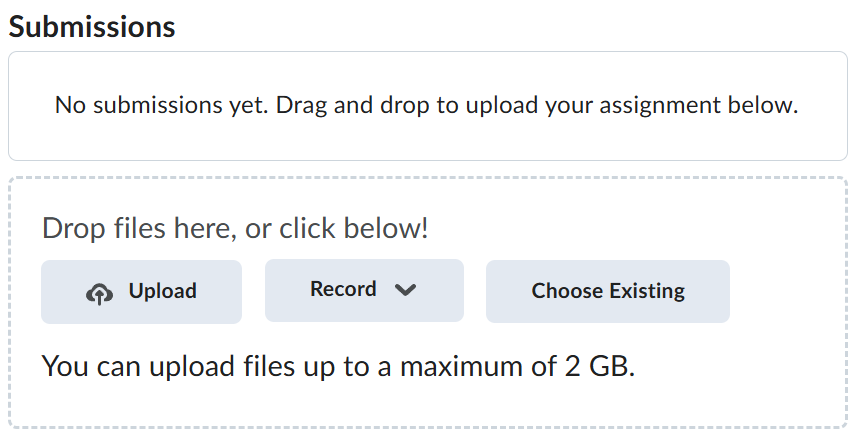
Navigate back to where the lab was originally downloaded, there should be a Submissions section (see below) where the zip file can be uploaded.