Lab-1-4
(2% of the course mark)
Express.js API Cache Lab
- Introduce students to the concepts and practices of caching in Node.js applications. Caching can significantly enhance the performance and scalability of applications by reducing the load on databases and other backend services. By the end of this lab, students will have hands-on experience implementing caching strategies using popular caching tools.
Lab objectives
-
Learn how to implement and manage caching in a Node.js application.
-
Cover in-memory caching by using the node-cache package.
Create Node.js Express app
-
Open VSCode and create a folder named Express-API-CACHE.
-
Open the terminal and change the directory to Express-API-CACHE.
-
Initialize the app by running the following command:
npm init -y
- Install typescript by running the following commands:
npm install typescript -D
npm install @types/node -D
- Initialize tsconfig.json by running the following command:
npx tsc --init
-
Modify tsconfig.json and uncomment outDir.
-
Modify tsconfig.json and add the following property:
"removeComments": true
- Install nodemon by running the following command:
npm install nodemon -D
- Install dotenv by running the following command:
npm install dotenv
- Create an .env file in the root of your project and enter the following.
PORT=3000
- Install express by running the following commands:
npm install express
npm install @types/express -D
- Configure package.json by adding a new entry to the scripts property.
"build": "tsc",
"start": "nodemon ./dist/index",
- Configure package.json by adding a new property.
"type": "module"
- Install node-cache by running the following command:
npm install node-cache
-
In the root folder of the app, create a folder named lib.
-
In the lib folder, create a file named utils.ts and add the following code:
// Developer:
// Purpose:

export function formatTime(): string {
  const date = new Date();
  const pad = (n: number): string => String(n).padStart(2, "0");

  return `${pad(date.getHours())}:${pad(date.getMinutes())}:${pad(
    date.getSeconds()
  )}`;
}
-
In the root folder of the app, create a folder named middlewares.
-
In the middlewares folder, create a file named cache.ts and add the following code:
// Developer:
// Purpose:

import { type Request, type Response, type NextFunction } from "express";
import NodeCache from "node-cache";
const cache = new NodeCache({ stdTTL: 100, checkperiod: 120 });

import { formatTime } from "../lib/utils.js";

export function cacheResponse(req: Request, res: Response, next: NextFunction) {
  // Get content from cache based on the url
  const contentToBeCached = cache.get(req.url);

  if (contentToBeCached) {
    console.log(`[${formatTime()}] Url: ${req.url} From cache...`);
    res.json(contentToBeCached);
    return;
  }

  // No cached content for the current url
  const originalContent = res.json.bind(res);

  res.json = (body) => {
    // We want to cache successful responses only
    if (res.statusCode >= 200 && res.statusCode < 300) {
      cache.set(req.url, body);
      console.log(`[${formatTime()}] Set cache...`);
    }

    return originalContent(body);
  };

  next();
}
- Create a file named index.ts and add the following code:
// Developer:
// Purpose:

import * as dotenv from "dotenv";
dotenv.config();

import express, { type Request, type Response } from "express";

const PORT: number = process.env.PORT ? parseInt(process.env.PORT) : 3000;
const app = express();

import { cacheResponse } from "./middlewares/cache.js";

app.use(cacheResponse);

app.get("/", (req: Request, res: Response) => {
  // Simulating a slow response
  setTimeout(() => {
    res.json({ message: `Express Api Cache Demo ${new Date().toISOString()}` });
  }, 2000);
});

app.all("/{*catchAll}", (req: Request, res: Response) => {
  res.status(404).json({
    message: `Invalid route (${req.url}) or HTTP method (${req.method}).`,
  });
});

app.listen(PORT, () => {
  console.log(`Server is running at http://localhost:${PORT}`);
  process.on("SIGTERM", shutdown);
  process.on("SIGINT", shutdown);
});

function shutdown() {
  console.log(`Server is shutting down.`);
  process.exit(0);
}
- Build the app by running the following command:
npm run build
- Start the app by running the following command:
npm run start
Verify that your Express app starts without errors before proceeding to the next step.
Test Express app
-
Open your browser and navigate to: http://localhost:3000. Take a screenshot and save it as cache-01.png.
-
Refresh your browser and compare the current output with cache-01.png, it should look the same. To confirm, check the terminal for log entries indicating whether the content was served from cache or not. Take a screenshot of the terminal and save it as cache-02.png.
-
The cache is set to expire every 100 seconds, which means that the cached content will expire and the content would have to be cached again. Wait at least 2 minutes and do the following:
-
Open your browser and navigate to: http://localhost:3000. Take a screenshot and save it as cache-03.png.
-
Refresh your browser and compare the current output with cache-03.png, it should look the same. To confirm, check the terminal for log entries indicating whether the content was served from cache or not. Take a screenshot of the terminal and save it as cache-04.png.
-
Submission
- Create a folder named submit.
Delete the node_modules folder on any app that you are submitting.
-
Copy the Express-API-CACHE folder and all the screenshots (cache-01.png, cache-02.png, cache-03.png, and cache-04.png) to the submit folder.
-
Create a zip file of the submit folder.
-
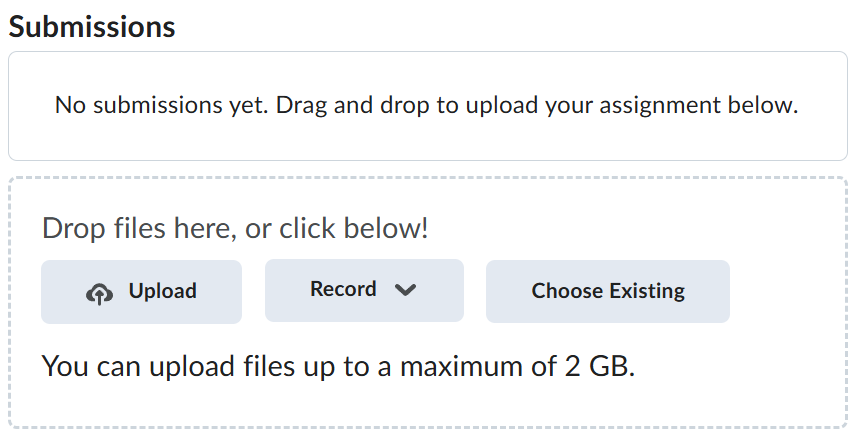
Navigate back to where the lab was originally downloaded, there should be a Submissions section (see below) where the zip file can be uploaded.