Lab-1-2
(2% of the course mark)
Express.js API Lab
- Create a simple RESTful API using Node.js and Express.js that handles basic CRUD (Create, Read, Update, Delete) operations for a resource.
Lab objectives
-
Practical experience in setting up a basic RESTful API using Node.js and Express.js.
-
Familiarize yourself with implementing CRUD (Create, Read, Update, Delete) operations for a resource through HTTP methods.
Create basic Node.js Express app
-
Open VSCode and create a folder named Express-API.
-
Open the terminal and change the directory to Express-API.
-
Initialize the app by running the following command:
npm init -y
- Install typescript by running the following commands:
npm install typescript -D
npm install @types/node -D
- Initialize tsconfig.json by running the following command:
npx tsc --init
-
Modify tsconfig.json and uncomment outDir.
-
Modify tsconfig.json and add the following property:
"removeComments": true
- Install nodemon by running the following command:
npm install nodemon -D
- Install dotenv by running the following command:
npm install dotenv
- Create an .env file in the root of your project and enter the following.
PORT=3000
- Install express by running the following commands:
npm install express
npm install @types/express -D
- Configure package.json by adding a new entry to the scripts property.
"build": "tsc",
"start": "nodemon ./dist/index",
- Configure package.json by adding a new property.
"type": "module"
- Create a file named index.ts and add the following code:
// Developer:
// Purpose:

import * as dotenv from "dotenv";
dotenv.config();

import express, { type Request, type Response } from "express";

const PORT: number = process.env.PORT ? parseInt(process.env.PORT) : 3000;
const app = express();

app.put("/", (req: Request, res: Response) => {
  res.json({ message: "PUT method = Create (CRUD)" });
});

app.get("/", (req: Request, res: Response) => {
  res.json({ message: "GET method = Read (CRUD)" });
});

app.post("/", (req: Request, res: Response) => {
  res.json({ message: "POST Method = Update (CRUD)" });
});

app.delete("/", (req: Request, res: Response) => {
  res.json({ message: "DELETE Method = Delete (CRUD)" });
});

app.all("/{*catchAll}", (req: Request, res: Response) => {
  res.status(404).json({
    message: `Invalid route (${req.url}) or HTTP method (${req.method}).`,
  });
});

app.listen(PORT, () => {
  console.log(`Server is running at http://localhost:${PORT}`);
  process.on("SIGTERM", shutdown);
  process.on("SIGINT", shutdown);
});

function shutdown() {
  console.log(`Server is shutting down.`);
  process.exit(0);
}
- Build the app by running the following command:
npm run build
- Start the app by running the following command:
npm run start
Postman Testing
-
Open Postman, click File > New... > HTTP.
-
Set the HTTP method to POST and the URL to http://localhost:3000.
-
Click on Send. Take a screenshot and save it as post.png.
-
Set the HTTP method to GET and the URL to http://localhost:3000.
-
Click on Send. Take a screenshot and save it as get.png.
-
Set the HTTP method to PUT and the URL to http://localhost:3000.
-
Click on Send. Take a screenshot and save it as put.png.
-
Set the HTTP method to DELETE and the URL to http://localhost:3000.
-
Click on Send. Take a screenshot and save it as delete.png.
-
Set the HTTP method to PATCH and the URL to http://localhost:3000/invalid.
-
Click on Send. Take a screenshot and save it as invalid.png.
Submission
- Create a folder named submit.
Delete the node_modules folder on any app that you are submitting.
-
Copy the Express-API folder and all the screenshots (post.png, get.png, put.png, delete.png, and invalid.png) to the submit folder.
-
Create a zip file of the submit folder.
-
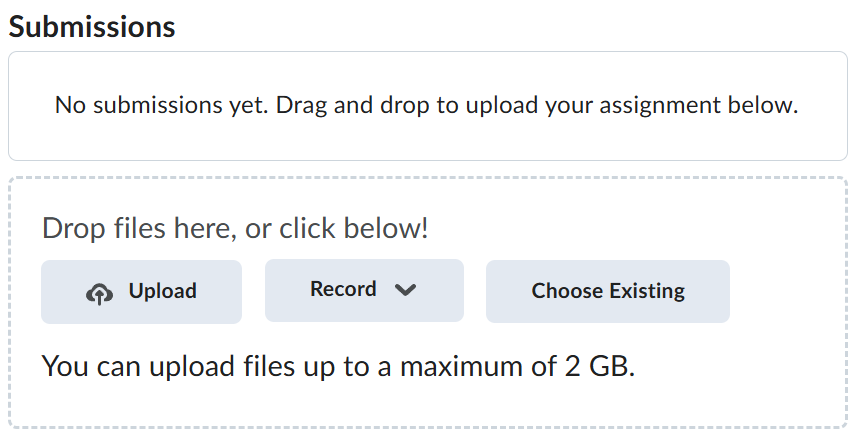
Navigate back to where the lab was originally downloaded, there should be a Submissions section (see below) where the zip file can be uploaded.