Lab-1-7
(2% of the course mark)
Express.js API Keys Lab
- In this lab, students will learn how to securely manage API keys within a Node.js Express application. This involves understanding best practices for handling sensitive information, using environment variables, and integrating a configuration management tool. By the end of this lab, students will be able to securely store and access API keys in their applications, reducing the risk of exposure and ensuring better security practices.
Lab objectives
-
Understand the importance of securing API keys and sensitive information.
-
Learn how to use environment variables to manage API keys.
-
Implement a configuration management tool like dotenv.
-
Integrate secure API key handling in a Node.js Express application.
Create Node.js Express app
-
Open VSCode and create a folder named Express-API-KEYS.
-
Open the terminal and change the directory to Express-API-KEYS.
-
Initialize the app by running the following command:
npm init -y
- Install typescript by running the following commands:
npm install typescript -D
npm install @types/node -D
- Initialize tsconfig.json by running the following command:
npx tsc --init
-
Modify tsconfig.json and uncomment outDir.
-
Modify tsconfig.json and add the following property:
"removeComments": true
- Install nodemon by running the following command:
npm install nodemon -D
- Install dotenv by running the following command:
npm install dotenv
- Create an .env file in the root of your project and enter the following.
PORT=3000
API_KEYS=d097d827-8631-478e-b896-5d1081d64a6e,040a546a-2179-47a2-b6b7-d1481b8d7079
- Install express by running the following commands:
npm install express
npm install @types/express -D
- Configure package.json by adding a new entry to the scripts property.
"build": "tsc",
"start": "nodemon ./dist/index",
- Configure package.json by adding a new property.
"type": "module"
-
In the root folder of the app, create a folder named middlewares.
-
In the middlewares folder, create a file named auth.ts and add the following code:
// Developer:
// Purpose:

import { type Request, type Response, type NextFunction } from "express";

export function verifyKey(API_KEYS: Set<string>) {
  return (req: Request, res: Response, next: NextFunction) => {
    const apiKey: any = req.headers["x-api-key"];

    if (!apiKey) {
      res.status(401).json({ message: "API key is missing." });
      return;
    }

    if (!API_KEYS.has(apiKey)) {
      res.status(403).json({ message: "Unauthorized API key." });
      return;
    }

    next();
  };
}
- Create a file named index.ts and add the following code:
// Developer:
// Purpose:

import * as dotenv from "dotenv";
dotenv.config();

import express, { type Request, type Response } from "express";
import { verifyKey } from "./middlewares/auth.js";

const PORT: number = process.env.PORT ? parseInt(process.env.PORT) : 3000;
const app = express();
const API_KEYS = new Set(process.env.API_KEYS?.split(","));

app.use(verifyKey(API_KEYS));

app.get("/", (req: Request, res: Response) => {
  res.json({
    message:
      "If you are seeing this then you must have entered a valid api key.",
  });
});

app.all("/{*catchAll}", (req: Request, res: Response) => {
  res.status(404).json({
    message: `Invalid route (${req.url}) or HTTP method (${req.method}).`,
  });
});

app.listen(PORT, () => {
  console.log(`Server is running at http://localhost:${PORT}`);
  process.on("SIGTERM", shutdown);
  process.on("SIGINT", shutdown);
});

function shutdown() {
  console.log(`Server is shutting down.`);
  process.exit(0);
}
- Build the app by running the following command:
npm run build
- Start the app by running the following command:
npm run start
Verify that your Express app starts without errors before proceeding to the next step.
Test via Postman
-
Open Postman, click File > New... > HTTP.
-
Set the HTTP method to GET and the URL to http://localhost:3000.
-
Click on Send. Take a screenshot and save it as key-missing.png.
-
With the same request, click on the drop down list and choose Headers and add the Key x-api-key with the Value password.
-
Click on Send. Take a screenshot and save it as key-unauthorized.png.
-
With the same request, update the value of x-api-key and choose from the list of API_KEYS from the .env file.
-
Click on Send. Take a screenshot and save it as key-authorized.png.
Submission
- Create a folder named submit.
Delete the node_modules folder on any app that you are submitting.
-
Copy the Express-API-KEYS folder and all the screenshots (key-missing.png, key-unauthorized.png, and key-authorized.png) to the submit folder.
-
Create a zip file of the submit folder.
-
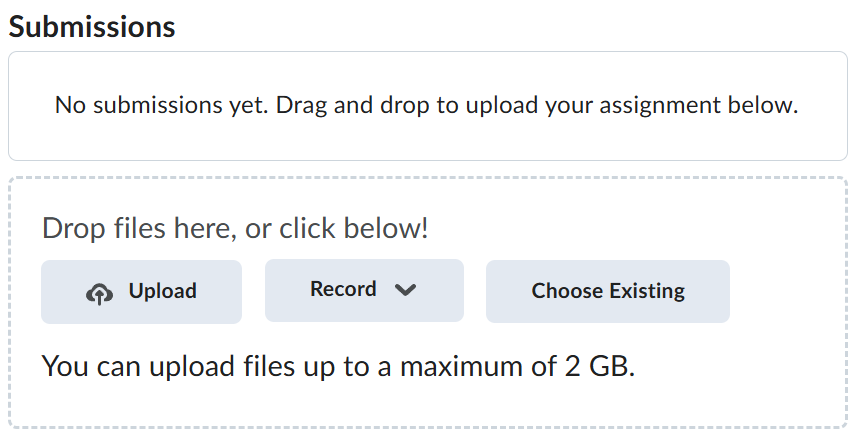
Navigate back to where the lab was originally downloaded, there should be a Submissions section (see below) where the zip file can be uploaded.