Lab-2-7
(2% of the course mark)
MongoDB MVC Express Lab
- In this lab, students will refactor the Express MVC app that was built in Lab 1-3. The lab will focus on integrating the mongodb package into the Express MVC app.
Lab objectives
-
Learn the technique of properly in integrating the mongodb package into the Express MVC app.
-
Use the factory / singleton pattern to build and share database connection and querying capabilites.
-
Use connection pooling effectively.
Build Schema
-
Open MongoDB Compass and click on mongodb-container to make a connection.
-
On the mongodb-container connection, create a Database by clicking on the + plus icon.
-
Set the Database Name as backend_db
-
Set the Collection Name as users.
-
-
Download the users.json file to your computer.
-
Import users.json to the users collection.
Ensure that all the database objects are created successfully before proceeding to the next step.
Create Node.js Express app
-
Open VSCode and create a folder named MongoDB-Express-App.
-
Open the terminal and change the directory to MongoDB-Express-App.
-
Initialize the app by running the following command:
npm init -y
- Install typescript by running the following commands:
npm install typescript -D
npm install @types/node -D
- Install mongodb by running the following command:
npm install mongodb
- Initialize tsconfig.json by running the following command:
npx tsc --init
-
Modify tsconfig.json and uncomment outDir.
-
Modify tsconfig.json and add the following property:
"removeComments": true
- Install nodemon by running the following command:
npm install nodemon -D
- Install dotenv by running the following command:
npm install dotenv
- Create an .env file in the root of your project and enter the following.
PORT=3000
MONGO_USER=root
MONGO_PASSWORD=password
MONGO_HOST=localhost
MONGO_PORT=27017
MONGO_URL_SCHEME=mongodb://
MONGO_DB_NAME=backend_db
MONGO_MAX_POOL_SIZE=10
- Install express by running the following commands:
npm install express
npm install @types/express -D
- Configure package.json by adding a new entry to the scripts property.
"build": "tsc",
"start": "nodemon ./dist/index",
- Configure package.json by adding a new property.
"type": "module"
- Create a file named index.ts and add the following code:
// Developer:
// Purpose:

import * as dotenv from "dotenv";
dotenv.config();

import express, { type Request, type Response } from "express";

const PORT: number = process.env.PORT ? parseInt(process.env.PORT) : 3000;
const app = express();

app.all("/{*catchAll}", (req: Request, res: Response) => {
  res.status(404).json({
    message: `Invalid route (${req.url}) or HTTP method (${req.method}).`,
  });
});

app.listen(PORT, () => {
  console.log(`Server is running at http://localhost:${PORT}`);
  process.on("SIGTERM", shutdown);
  process.on("SIGINT", shutdown);
});

function shutdown() {
  console.log(`Server is shutting down.`);
  process.exit(0);
}
- Build the app by running the following command:
npm run build
- Start the app by running the following command:
npm run start
Verify that your Express app starts without errors before proceeding to the next step.
Express app MVC
-
In the root folder of the app, create a folder named lib.
-
In the lib folder, create a file named DBConnectionFields.ts and add the following code:
// Developer:
// Purpose:

export class DBConnectionFields {
  userName: string = "";
  password: string = "";
  url: string = "";
  urlScheme: string = "";
  db: string = "";
  maxPoolSize: number = 0;

  constructor(
    userName: string,
    password: string,
    url: string,
    urlScheme: string,
    db: string,
    maxPoolSize: number
  ) {
    this.userName = userName;
    this.password = password;
    this.url = url;
    this.urlScheme = urlScheme;
    this.db = db;
    this.maxPoolSize = maxPoolSize;
  }
}
- In the lib folder, create a file named MongoDB.ts and add the following code:
// Developer:
// Purpose:

import { MongoClient, Collection } from "mongodb";
import { DBConnectionFields } from "./DBConnectionFields.js";

export class MongoDB {
  dbConnectionFields: DBConnectionFields | null = null;
  mongoClient: MongoClient | null;

  constructor(dbConnectionFields: DBConnectionFields) {
    this.setDbConnectionFields(dbConnectionFields);
    this.mongoClient = new MongoClient(
      `${dbConnectionFields.urlScheme}${dbConnectionFields.userName}:${dbConnectionFields.password}@${dbConnectionFields.url}`,
      {
        maxPoolSize: dbConnectionFields.maxPoolSize,
      }
    );
  }

  setDbConnectionFields(dbConnectionFields: DBConnectionFields) {
    this.dbConnectionFields = dbConnectionFields;
  }

  async connect() {
    const connectResponse = { isConnected: false, message: "" };
    try {
      if (this.mongoClient) {
        await this.mongoClient.connect();
        connectResponse.isConnected = true;
        connectResponse.message = `Connected to: ${this.dbConnectionFields?.url}.`;
      } else {
        connectResponse.isConnected = false;
        connectResponse.message = `Could not connect to: ${this.dbConnectionFields?.url}.`;
      }
    } catch (error: any) {
      connectResponse.message = `Could not connect to: ${this.dbConnectionFields?.url}.`;
    } finally {
      return connectResponse;
    }
  }

  async find(collectionName: string, options: any) {
    if (this.mongoClient == null || this.dbConnectionFields == null) {
      return null;
    }

    const db = this.mongoClient.db(this.dbConnectionFields.db);
    const collection: Collection = db.collection(collectionName);
    let findResponse: any = null;
    findResponse = collection.find(options);
    const findResponseArray = await findResponse.toArray();
    return findResponseArray;
  }

  async insert(collectionName: string, options: any) {
    if (this.mongoClient == null || this.dbConnectionFields == null) {
      return null;
    }

    const db = this.mongoClient.db(this.dbConnectionFields.db);
    const collection: Collection = db.collection(collectionName);
    let insertOneResponse: any = null;
    insertOneResponse = await collection.insertOne(options);
    return insertOneResponse;
  }

  async update(collectionName: string, key: any, value: any) {
    if (this.mongoClient == null || this.dbConnectionFields == null) {
      return null;
    }

    const db = this.mongoClient.db(this.dbConnectionFields.db);
    const collection: Collection = db.collection(collectionName);
    let updateOneResponse: any = null;
    updateOneResponse = await collection.updateMany(key, value);
    return updateOneResponse;
  }

  async delete(collectionName: string, options: any) {
    if (this.mongoClient == null || this.dbConnectionFields == null) {
      return null;
    }

    const db = this.mongoClient.db(this.dbConnectionFields.db);
    const collection: Collection = db.collection(collectionName);
    let deleteManyResponse: any = null;
    deleteManyResponse = await collection.deleteMany(options);
    return deleteManyResponse;
  }

  async disConnect() {
    const disConnectResponse = {
      isDisconnected: false,
      message: "",
    };

    try {
      if (this.mongoClient) {
        await this.mongoClient.close();
        disConnectResponse.isDisconnected = true;
      }
      disConnectResponse.message = `Disconnected to: ${this.dbConnectionFields?.url}.`;
    } catch (error: any) {
      disConnectResponse.message = `Could not disconnect to: ${this.dbConnectionFields?.url}.`;
    } finally {
      return disConnectResponse;
    }
  }
}

let mongoDBInstance: MongoDB | null = null;

// Factory / Singleton pattern
export const mongoDBFactory = (
  dbConnectionFields: DBConnectionFields
): MongoDB => {
  // Do not create any new instance
  if (!mongoDBInstance) mongoDBInstance = new MongoDB(dbConnectionFields);
  return mongoDBInstance;
};

export const getMongoDBInstance = (): MongoDB => {
  if (!mongoDBInstance) throw new Error("MongoDB not initialized");
  return mongoDBInstance;
};
-
In the root folder of the app, create a folder named models.
-
In the models folder, create a file named userModel.ts and add the following code:
// Developer:
// Purpose:

import { getMongoDBInstance } from "../lib/MongoDB.js";
import { ObjectId } from "mongodb";

export interface User {
  _id: ObjectId;
  userName: string;
  email: string;
  createdAt: Date;
}

const documentName = "users";

export const UserModel = {
  findAll: async (): Promise<User[]> => {
    const mongoDB = getMongoDBInstance();
    return await mongoDB.find(documentName, {});
  },

  findById: async (id: string): Promise<User | undefined> => {
    const mongoDB = getMongoDBInstance();
    const user = await mongoDB.find(documentName, { _id: new ObjectId(id) });
    return user.length > 0 ? user : undefined;
  },

  findByUserName: async (userName: string): Promise<User | undefined> => {
    const mongoDB = getMongoDBInstance();
    const user = await mongoDB.find(documentName, { userName: userName });
    return user.length > 0 ? user : undefined;
  },

  create: async (userName: string, email: string): Promise<boolean> => {
    const mongoDB = getMongoDBInstance();
    const user = await mongoDB.insert(documentName, {
      userName: userName,
      email: email,
      createdAt: new Date(),
    });
    return user?.acknowledged && user?.insertedId ? true : false;
  },

  update: async (
    id: string,
    userName: string,
    email: string
  ): Promise<boolean> => {
    const mongoDB = getMongoDBInstance();
    const user = await mongoDB.update(
      documentName,
      { _id: new ObjectId(id) },
      {
        $set: { userName: userName, email: email },
      }
    );

    return user?.acknowledged && user?.matchedCount == 1 ? true : false;
  },

  delete: async (id: string): Promise<boolean> => {
    const mongoDB = getMongoDBInstance();
    const user = await mongoDB.delete(documentName, {
      _id: new ObjectId(id),
    });
    return user?.acknowledged && user?.deletedCount == 1 ? true : false;
  },
};
-
In the root folder of the app, create a folder named services.
-
In the services folder, create a file named userService.ts and add the following code:
// Developer:
// Purpose:

import { UserModel } from "../models/userModel.js";

export const UserService = {
  getAll: async () => await UserModel.findAll(),
  getById: async (id: string) => await UserModel.findById(id),
  getByUserName: async (userName: string) =>
    await UserModel.findByUserName(userName),
  create: async (userName: string, email: string) =>
    await UserModel.create(userName, email),
  update: async (id: string, userName: string, email: string) =>
    await UserModel.update(id, userName, email),
  delete: async (id: string) => await UserModel.delete(id),
};
-
In the root folder of the app, create a folder named controllers.
-
In the controllers folder, create a file named userController.ts and add the following code:
// Developer:
// Purpose:

import { type Request, type Response } from "express";
import { UserService } from "../services/userService.js";

export const UserController = {
  getAll: async (req: Request, res: Response): Promise<void> => {
    res.json(await UserService.getAll());
  },

  getById: async (req: Request, res: Response): Promise<void> => {
    const user = await UserService.getById(String(req.params.id));
    user ? res.json(user) : res.status(404).json({ message: "User not found" });
  },

  getByUserName: async (req: Request, res: Response): Promise<void> => {
    const user = await UserService.getByUserName(String(req.params.userName));
    user ? res.json(user) : res.status(404).json({ message: "User not found" });
  },

  create: async (req: Request, res: Response): Promise<void> => {
    const { userName, email } = req.body;
    if (!userName) {
      res.status(400).json({ message: "userName is required" });
      return;
    }

    if (!email) {
      res.status(400).json({ message: "email is required" });
      return;
    }

    (await UserService.create(userName, email))
      ? res.status(201).send()
      : res.status(500).json({
          message: "Internal Server Error, contact the system administrator",
        });
  },

  update: async (req: Request, res: Response): Promise<void> => {
    const { userName, email } = req.body;
    (await UserService.update(String(req.params.id), userName, email))
      ? res.status(204).send()
      : res.status(404).json({ message: "User not found" });
  },

  delete: async (req: Request, res: Response): Promise<void> => {
    (await UserService.delete(String(req.params.id)))
      ? res.status(204).send()
      : res.status(404).json({ message: "User not found" });
  },
};
-
In the root folder of the app, create a folder named routes.
-
In the routes folder, create a file named userRouter.ts and add the following code:
// Developer:
// Purpose:

import { Router } from "express";
import { UserController } from "../controllers/userController.js";

const router = Router();

router.get("/", UserController.getAll);
router.get("/:id", UserController.getById);
router.get("/username/:userName", UserController.getByUserName);
router.post("/", UserController.create);
router.put("/:id", UserController.update);
router.delete("/:id", UserController.delete);

export default router;
- Update index.ts and add the following code:
// Developer:
// Purpose:

import * as dotenv from "dotenv";
dotenv.config();

import express, { type Request, type Response } from "express";
const PORT: number = process.env.PORT ? parseInt(process.env.PORT) : 3000;

import { mongoDBFactory } from "./lib/MongoDB.js";
import { DBConnectionFields } from "./lib/DBConnectionFields.js";
import userRouter from "./routes/userRouter.js";

const app = express();
const dBConnectionFields = new DBConnectionFields(
  String(process.env.MONGO_USER),
  String(process.env.MONGO_PASSWORD),
  `${String(process.env.MONGO_HOST)}:${String(process.env.MONGO_PORT)}`,
  String(process.env.MONGO_URL_SCHEME),
  String(process.env.MONGO_DB_NAME),
  Number(process.env.MONGO_MAX_POOL_SIZE)
);

const mongoDB = mongoDBFactory(dBConnectionFields);

const connectResponse = await mongoDB.connect();
console.log(connectResponse);

app.use(express.json());
app.use("/api/users", userRouter);

app.all("/{*catchAll}", (req: Request, res: Response) => {
  res.status(404).json({
    message: `Invalid route (${req.url}) or HTTP method (${req.method}).`,
  });
});

app.listen(PORT, () => {
  console.log(`Server is running at http://localhost:${PORT}`);
  process.on("SIGTERM", shutdown);
  process.on("SIGINT", shutdown);
});

async function shutdown() {
  console.log(`Server is shutting down.`);
  const disConnectResponse = await mongoDB.disConnect();
  console.log(disConnectResponse);
  process.exit(0);
}
- Build the app by running the following command:
npm run build
Postman testing
- Use Postman to perform the following testing scenarios:
| Method | Endpoint | Screenshot |
|---|---|---|
| GET | /api/users | get-all.png |
| GET | /api/users/valid-user-id | get-one01.png |
| GET | /api/users/invalid-user-id | get-one02.png |
| GET | /api/users/userName/valid-user-name | get-one03.png |
| GET | /api/users/userName/invalid-user-name | get-one04.png |
| POST | /api/users | post.png |
| PUT | /api/users/valid-user-id | put01.png |
| PUT | /api/users/invalid-user-id | put02.png |
| DELETE | /api/users/valid-user-id | delete.png |
Sample request body for POST and PUT
{
  "userName": "firstname.lastname",
  "email": "firstname.lastname@email.com"
}
Implement Lab-2-3 Library app (MongoDB-Express-App)
Ensure that the library_db database is created before proceeding to the next step. MongoDB database creation is covered in Lab-2-6.
- Modify the .env file of the MongoDB-Express-App and update the value of MONGO_DB_NAME to library_db.
MONGO_DB_NAME=library_db
-
Refactor MongoDB-Express-App, choose any table from the Lab-2-3 Library app and create new routes, controllers, services, and models. Use MongoDB Compass to create the collection based on the table you choose.
-
Populate the collection with sample data
-
Find documents
-
Find a document
-
Insert a document
-
Update a document
-
Delete a document
-
-
Build and run the modified app and use Postman to test the scenarios below:
-
Use Postman to perform the following testing scenarios:
| Method | Endpoint | Screenshot |
|---|---|---|
| GET | /api/name_of_collection | get-custom-all.png |
| GET | /api/name_of_collection/valid-id | get-custom-one01.png |
| GET | /api/name_of_collection/invalid-id | get-custom-one02.png |
| POST | /api/name_of_collection | post-custom.png |
| PUT | /api/name_of_collection/valid-id | put-custom-01.png |
| PUT | /api/name_of_collection/invalid-id | put-custom-02.png |
| DELETE | /api/name_of_collection/valid-id | delete-custom.png |
Submission
- Create a folder named submit.
Delete the node_modules folder on any app that you are submitting.
-
Copy the MongoDB-Express-App folder and all the screenshots to the submit folder.
-
Create a zip file of the submit folder.
-
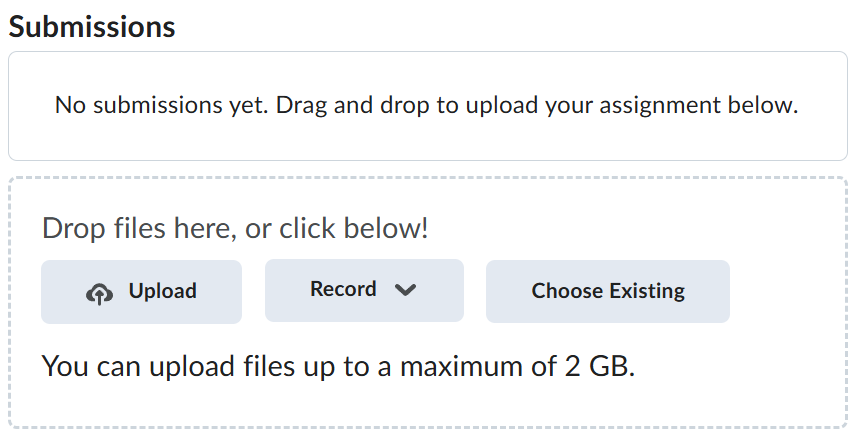
Navigate back to where the lab was originally downloaded, there should be a Submissions section (see below) where the zip file can be uploaded.